TMS
Planning & route optimisation
Compare scenarios and assign drivers and vehicles to your transport plans.
Tour planning · Scenarios · Route optimisation
TMS · DISPATCH · TOURS · COSTING
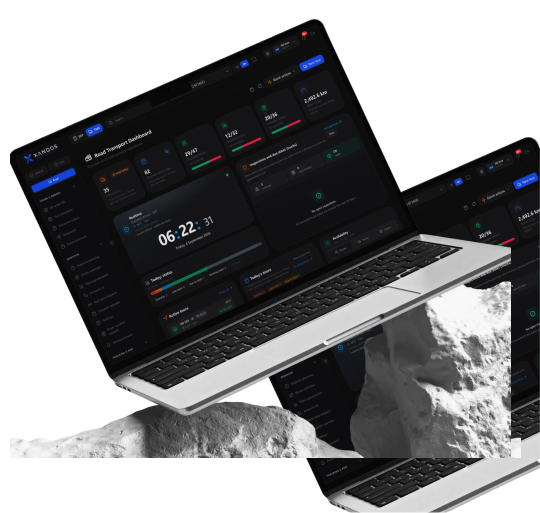
A new order or route change affects both the schedule and the costs. XANQOS TMS brings transport planning and costing together with XANQOS ERP. Compare scenarios, assign drivers and follow tour status, then compare planned costs with actual financial results.
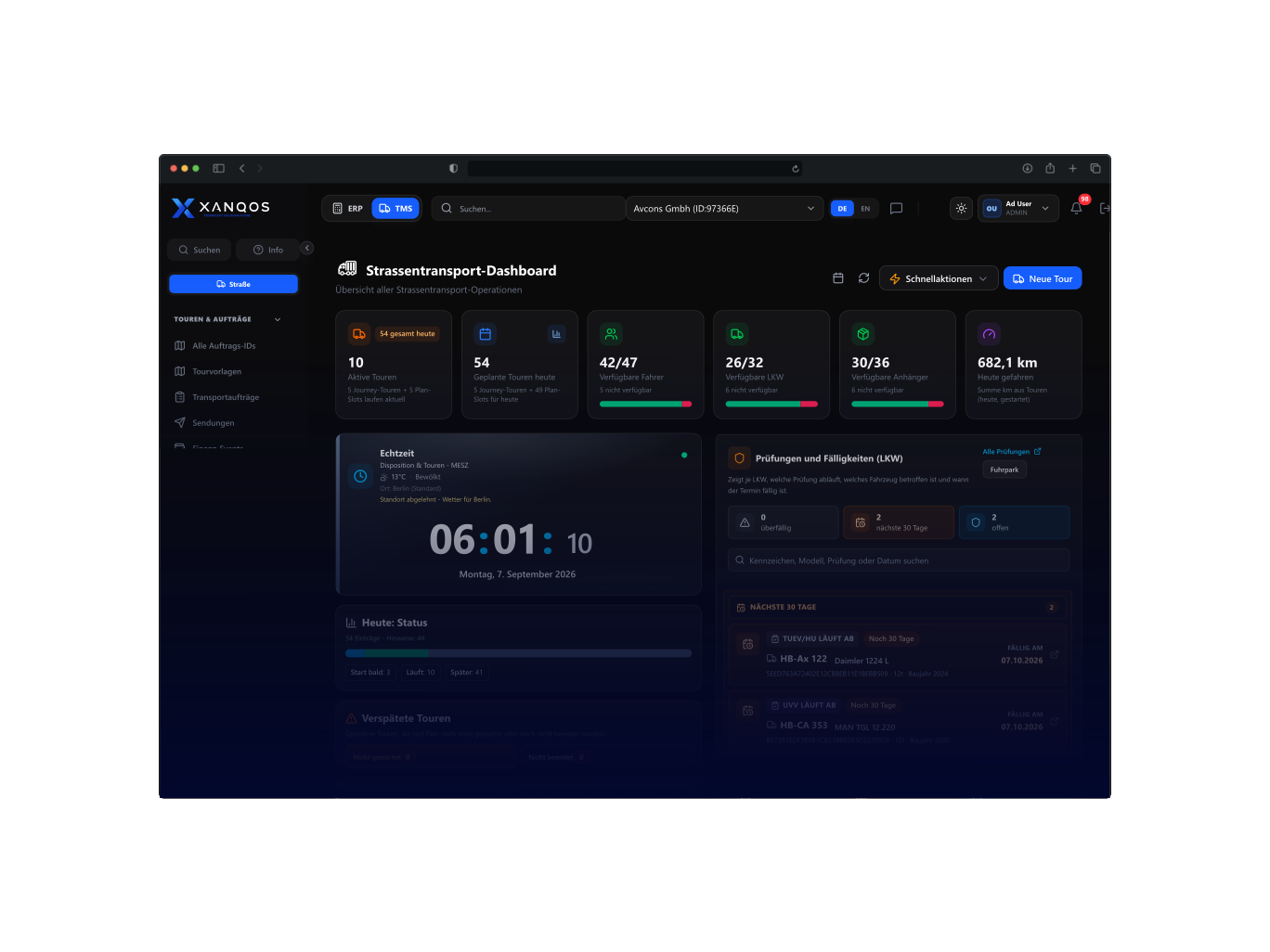
Product illustration with example data. Views and available functions depend on modules, hardware and configuration.
Operations Core
Compare scenarios and assign drivers and vehicles to your transport plans.
Tour planning · Scenarios · Route optimisation
Follow tour progress and share announcements, notifications and changes with drivers.
Driver coordination · Announcements · Tour status
Compare expected revenue with planned costs before a tour begins.
Revenue · Planned costs · Expected margin
Fleet Visibility
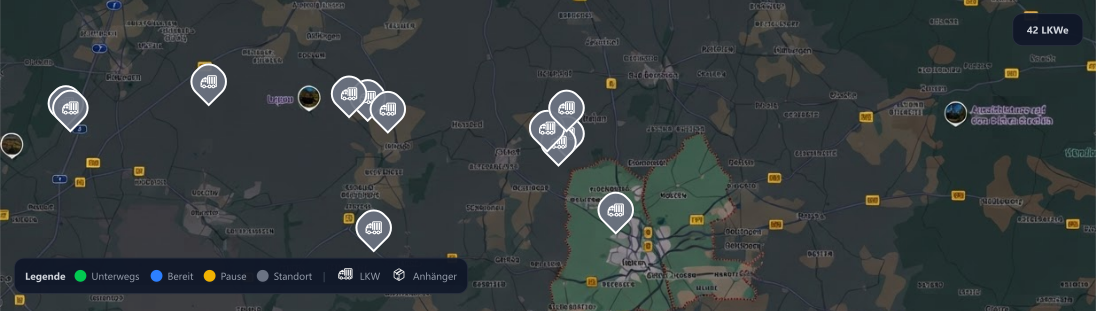
Connect supported telematics to see vehicle positions and reported status alongside your tours. Check the last update before acting on a delay or changing an assignment. Available data depends on your devices and integrations.
Route optimisation
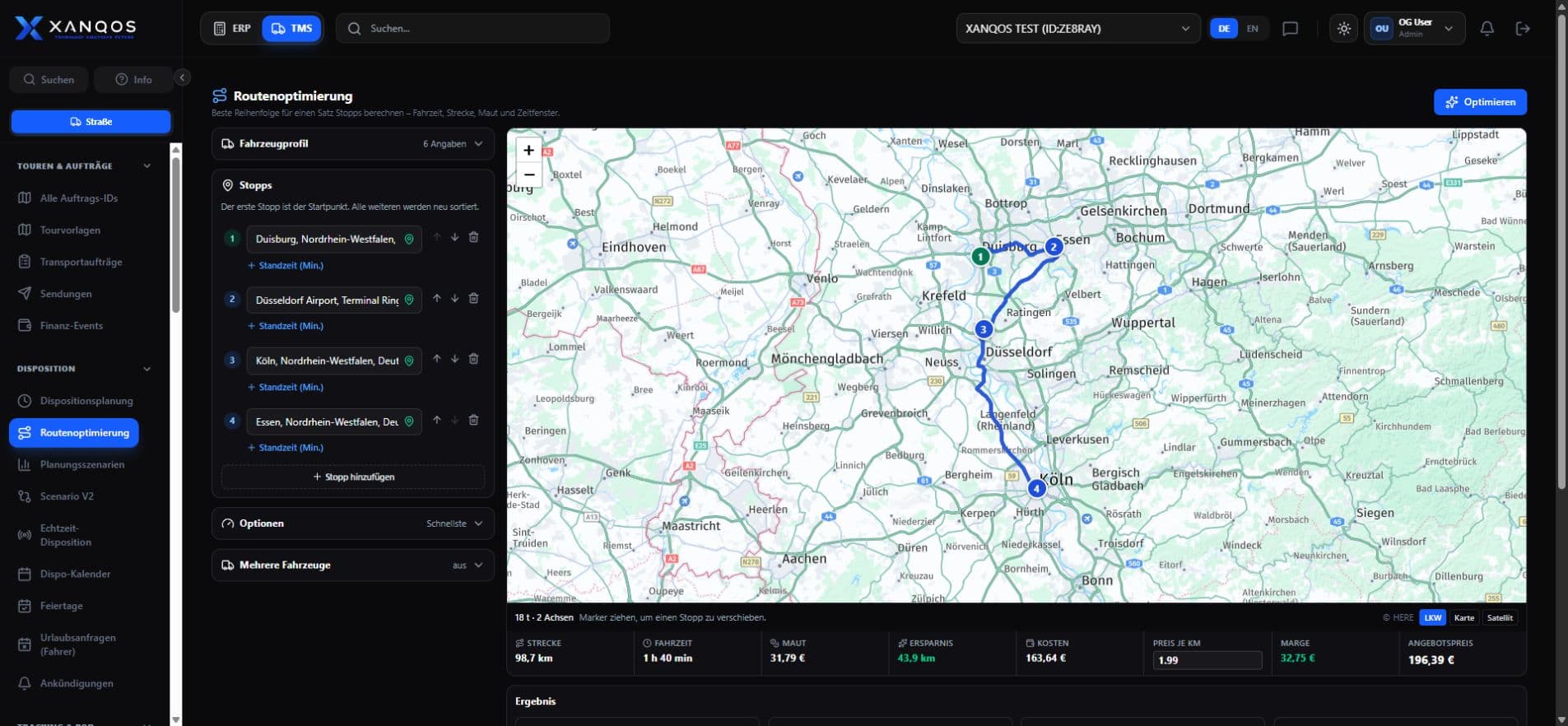
Compare planning scenarios with stops, distances, time windows and estimated route costs. Review the effect of a route change before assigning the tour.
WHAT CHANGES IF WE TAKE ANOTHER ROUTE?
Compare route options, estimated costs and time windows before making your plan.
Route options, stops and resource needs
Distance, toll estimates and planned costs
Driver assignments and time windows
Planning & driver coordination
When an assignment changes, update the driver and vehicle allocation and share the revised instructions. Use tour status, announcements and notifications to keep the next action clear.
Fleet Operations
Manage driver records and assignments. Keep coordination and operational updates connected to the people carrying out each tour.
Manage vehicle records and maintenance work. Coordinate workshop tasks with the vehicles needed for transport planning.
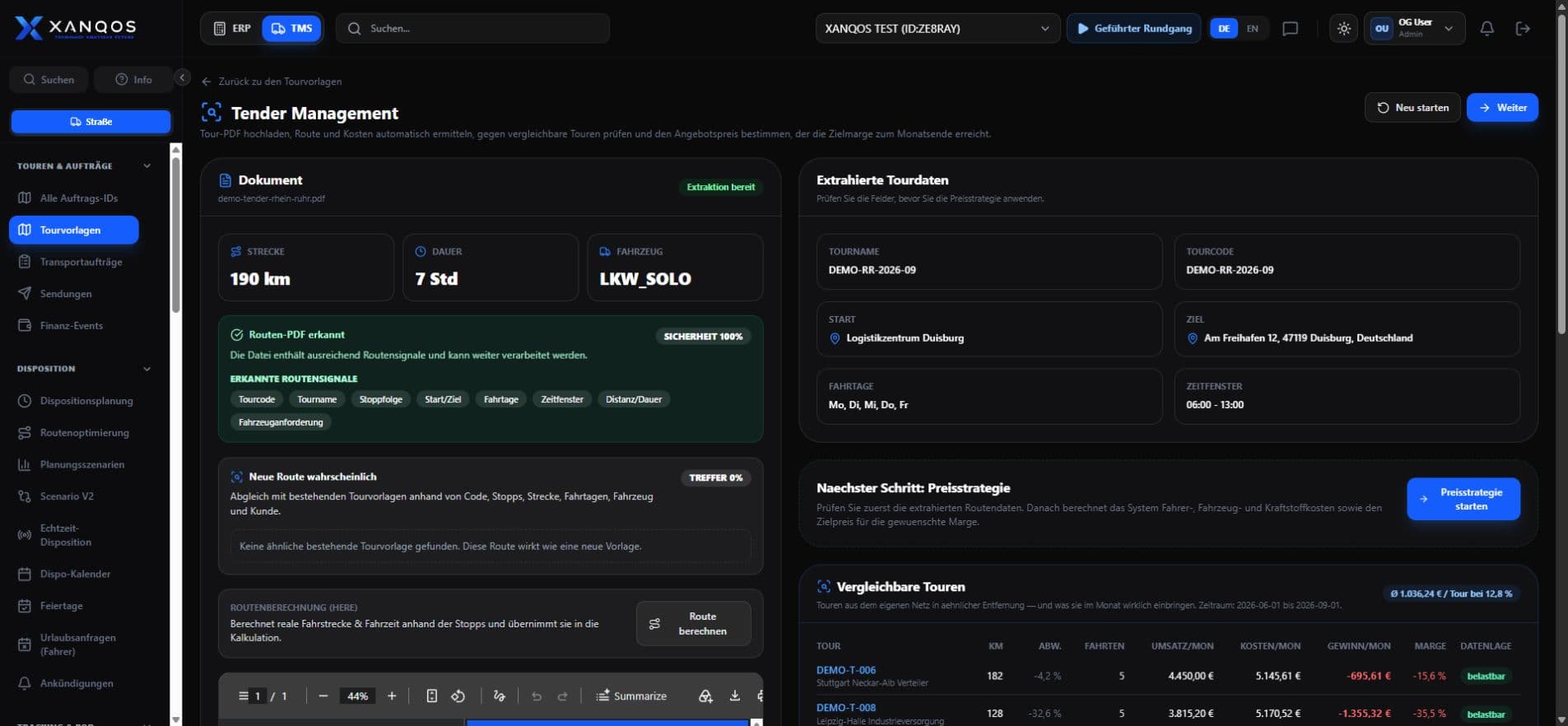
Upload a tender PDF for review and use the system’s cost assessment to inform your proposed price. Check the extracted requirements and assumptions before submitting your offer.
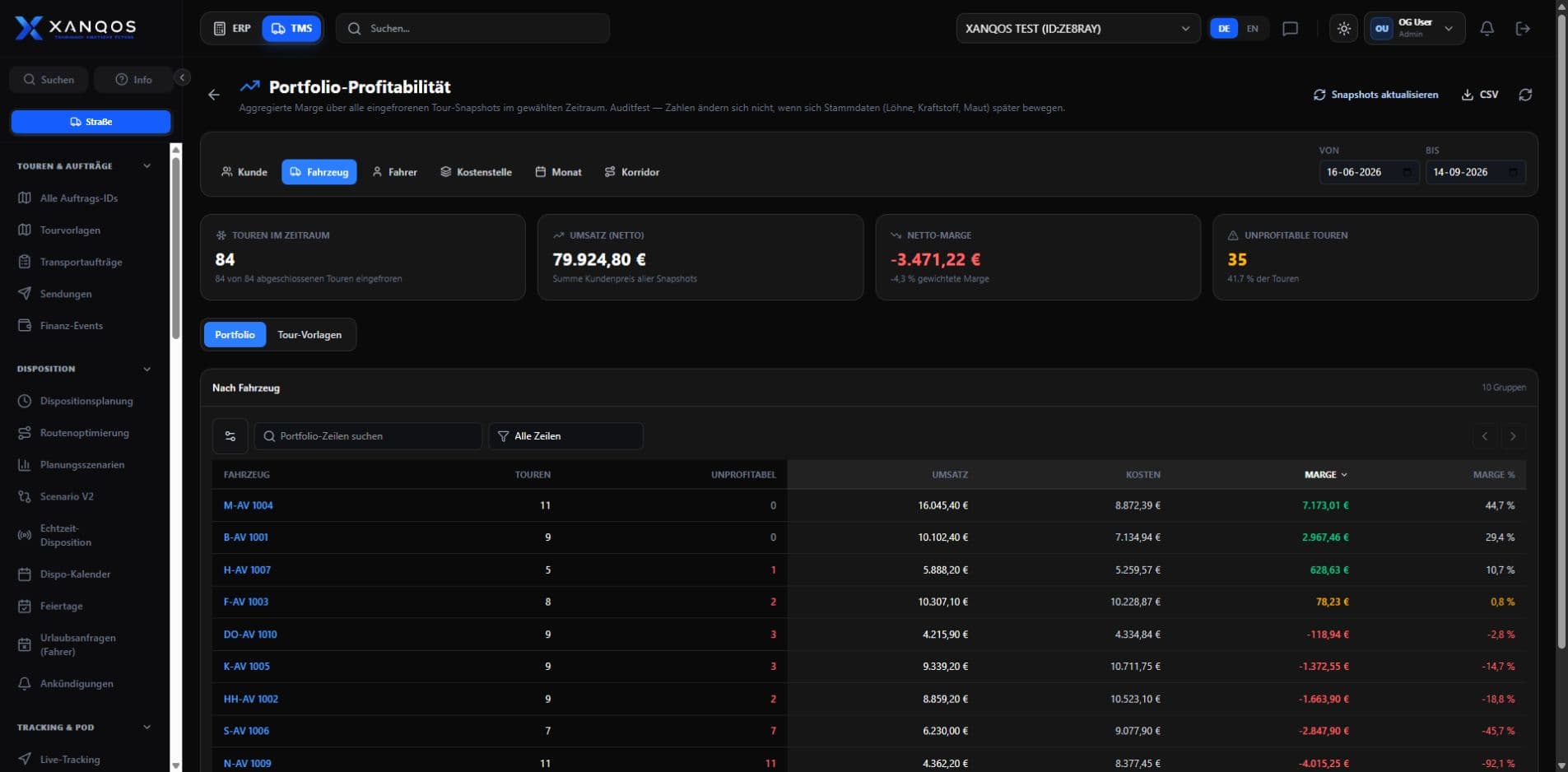
Transport costing & profitability
Build a tour estimate from fuel, driver, toll and vehicle costs. Compare the result with the plan to see what changed and what the tour contributed.
Before departure
After completion
| Tour breakdown | Plan | Actual |
|---|---|---|
| Revenue | €1,200 | €1,200 |
| Fuel & AdBlue | €260 | €285 |
| Driver | €300 | €330 |
| Tolls | €140 | €140 |
| Vehicle & other costs | €200 | €205 |
| Total costs | €900 | €960 |
| Contribution | €300 | €240 |
Costs increased by €60.Fuel, driver and vehicle costs explain the lower contribution. Revenue stayed the same.
Product workflows
Scope & pricing

Tour planning, driver coordination and costing shape your TMS quote. We consider your dispatch team, transport records and the required ERP connections.
The proposal includes the ERP functions and transport workflows needed for your operation.
Your proposal
Describe daily dispatch and planning. Your proposal defines the ERP foundation, transport modules and required connections.
Describe order intake, tour assignments and daily changes. We identify planning functions, dispatch users and the ERP foundation for your setup.
Specify which vehicle positions and status updates dispatch needs to see. Supported telematics connections, devices and connectivity are agreed separately where they form part of your scope.
List customer portals, order feeds and systems to connect. Interfaces beyond the standard setup are scoped as separate development work.
Plan order and fleet data, training and access permissions. Your proposal separates recurring access charges from TMS introduction work.
Example workflow — not a customer case study
Request a demo
See route planning, driver coordination and tour costing in a TMS demo focused on your dispatch team.